



Viking Connect can be configured on Broadband Only Talkgroups or on LMR Talkgroups. When paired with your LMR Talkgroups Viking Connect can provide seamless roaming based on RF available signal conditions.
Confirm your Radio has the 'Broadband Voice' Option
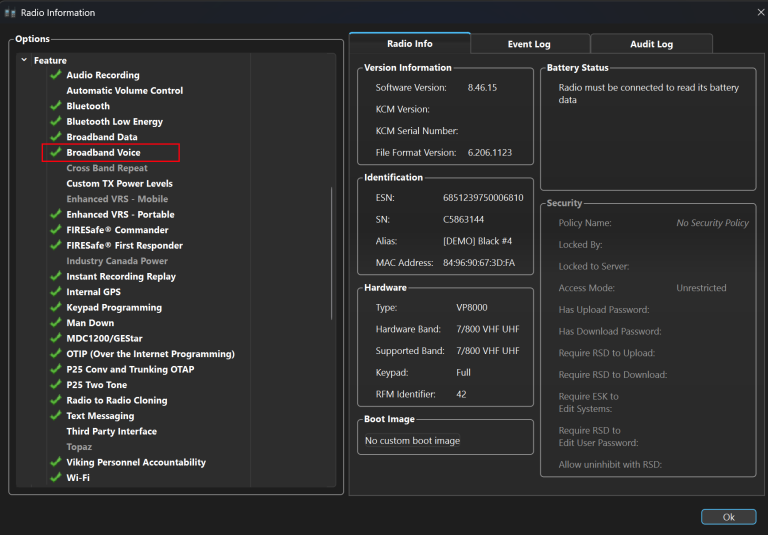
- Verify your Viking VP8000 or VM8000 radios have the “Broadband Voice” Option enabled.
- If the “Broadband Voice” option is not enabled, please contact your E. F. Johnson representative.
Configure your Broadband Networks and Set your NTP Server
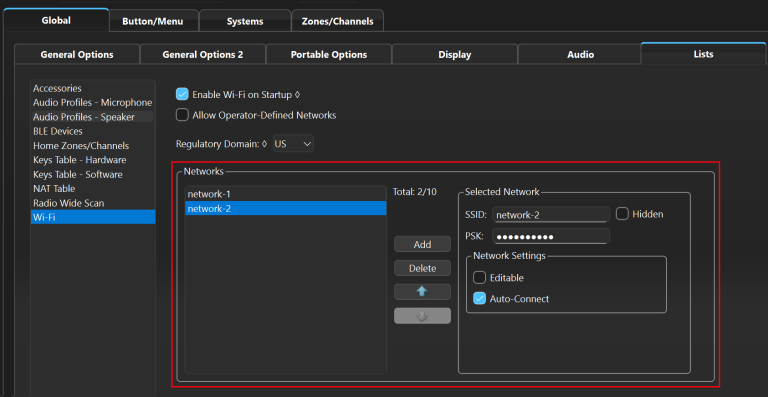
- On the ‘Global Lists’ Tab
- Add an Ethernet Network for a VM8000
- Add one or more WiFi or Ethernet Networks for a VP8000.
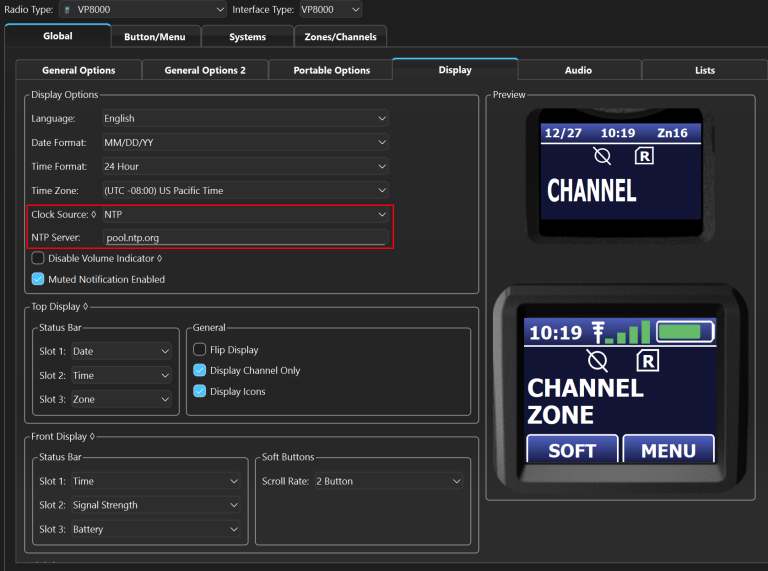
- On the ‘Global Display’ Tab
- change the ‘Clock Source’ to NTP
- Enter a valid NTP server.
Configure a Broadband Only Channel
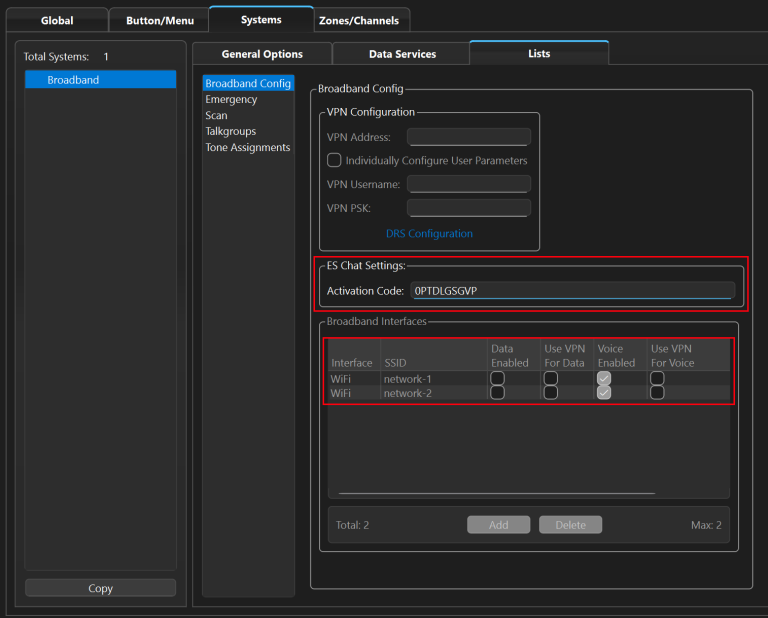
- Create a new ‘Broadband System’.
- On the ‘System’ ‘Lists’ Tab
- Select ‘Broadband Config’.
- Add one or more of your WiFi networks to your Broadband System.
- Select ‘Voice Enabled’ for each WiFi or Ethernet network.
- Enter an ESChat ‘Activation Code’ from your ESChat Portal.
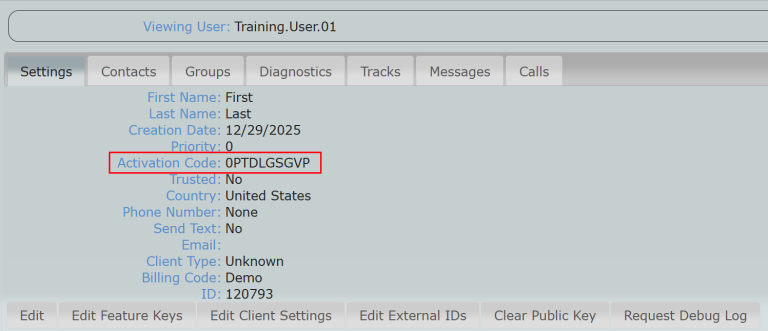
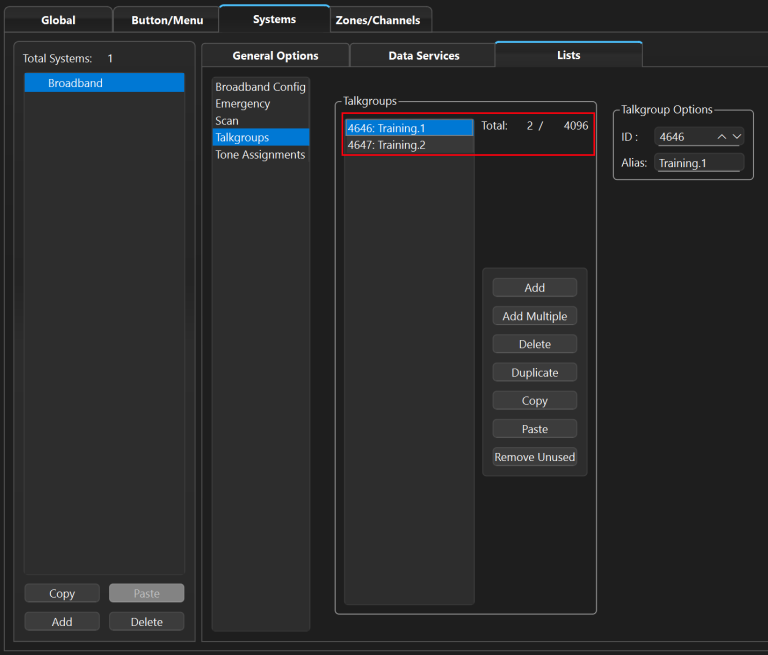
- On the ‘System Lists’ Tab
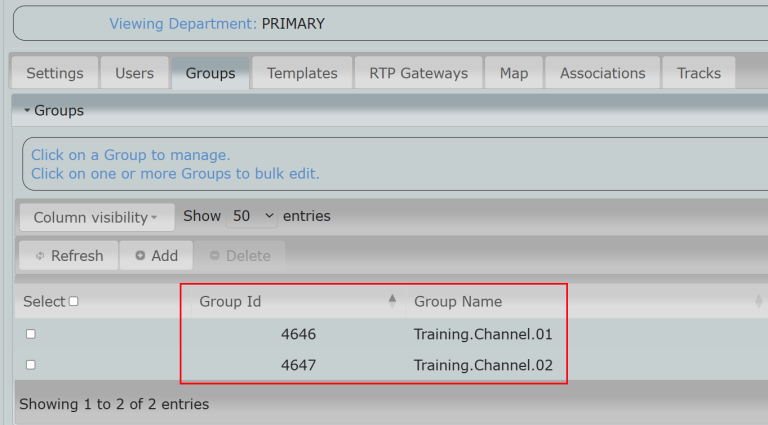
- Select ‘Talkgroups’ and add your ESChat Groups/Channels using the ID’s from the ESChat Portal.
Configure a Trunking Talkgroup with Seamless Switching to Broadband
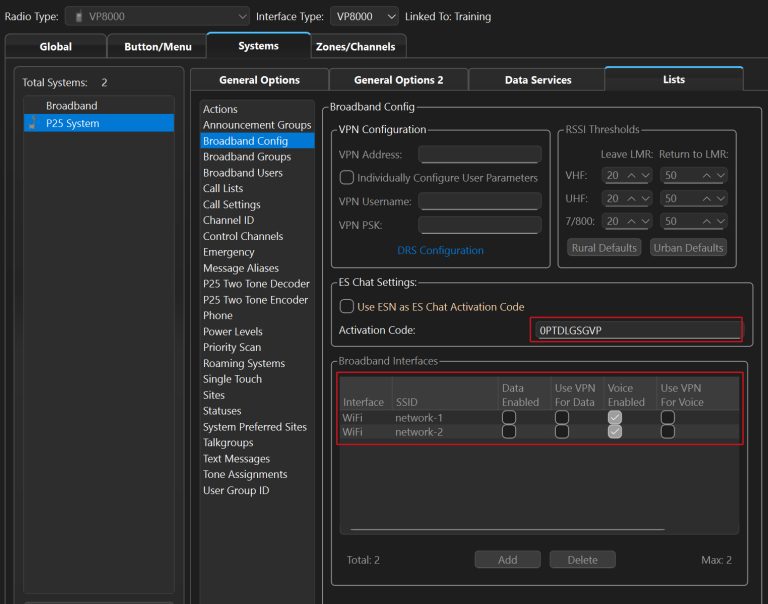
- Create a new ‘P25 System’.
- On the ‘System’ ‘Lists’ Tab
- Select ‘Broadband Config’.
- Add one or more of your WiFi networks to your Broadband System.
- Select ‘Voice Enabled’ for each WiFi or Ethernet network.
- Enter an ESChat ‘Activation Code’ from your ESChat Portal.
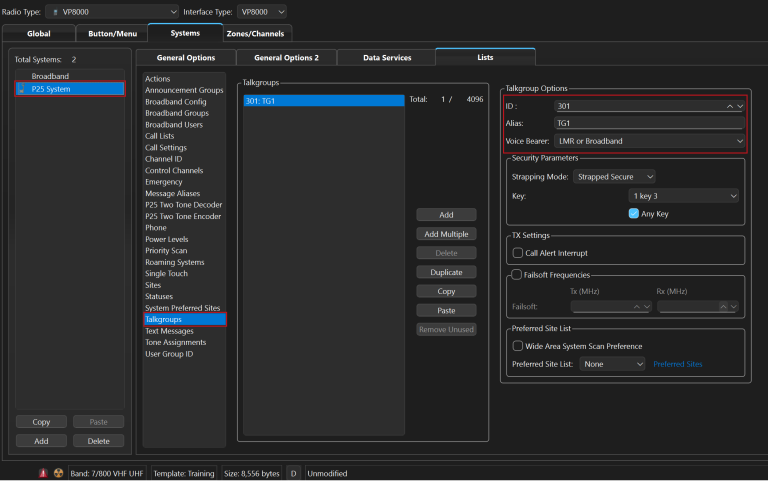
- Go to System->Lists->Talkgroups
- Add Talkgroup(s) ID and Aliases from your LMR System.
- Set Voice Bearer to “LMR or Broadband”
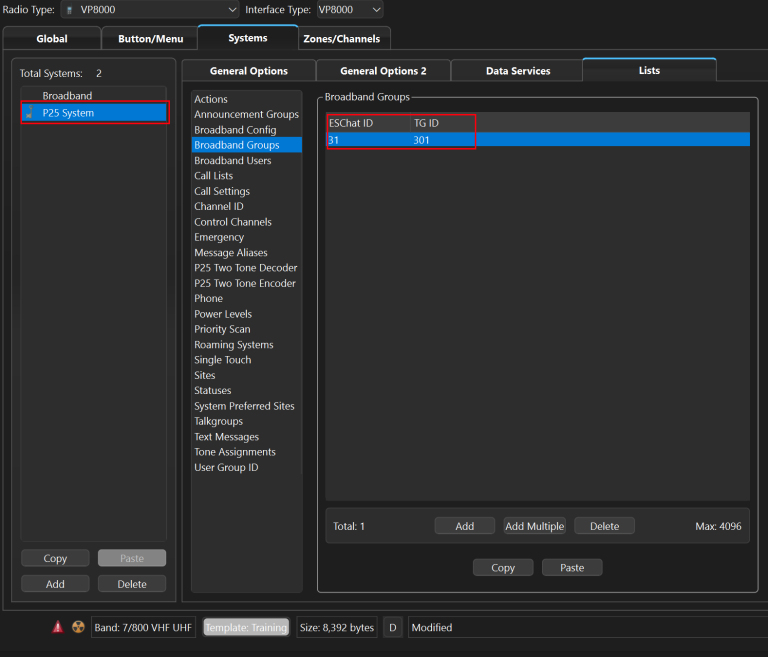
- Go to System->Lists->Broadband Groups
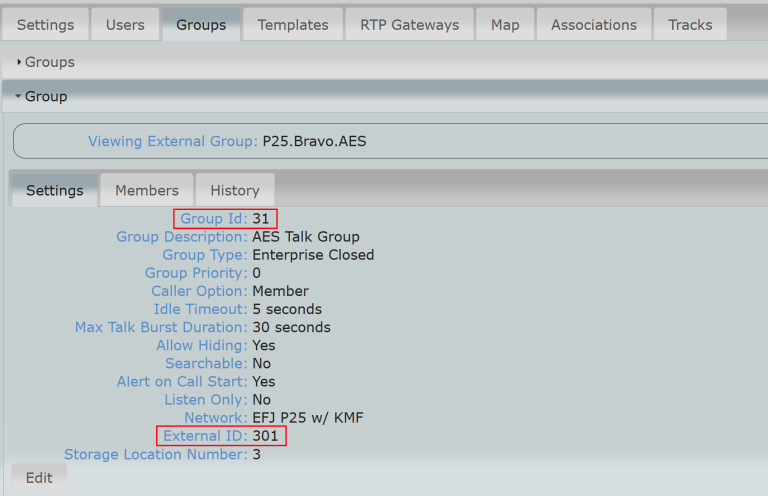
- Paste ESChat Group ID(s) (ESChat ID) into Armada
- Paste ESChat External ID(s) (TG ID) into Armada
Assign Talkgroups to Zones and Channels
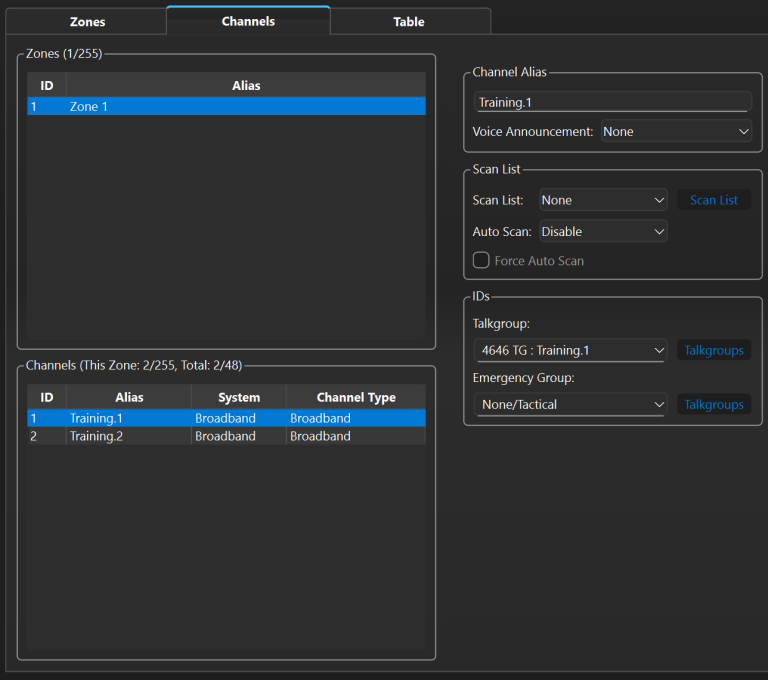
- Add your Talkgroups to the Zone(s) of your choice.
- Write the configuration to your Viking radio.
- Your radio is now ready for use.